A Security Guard Patrol System Built Around Proof
A security guard patrol system should answer one simple question: did the patrol happen?
Guard Tour Log gives guards a simple way to record their rounds without complicated dashboards or proprietary checkpoint hardware. Guards scan QR checkpoints, record incidents and finish the shift with a clear PDF patrol report that can be shared with a supervisor or client.
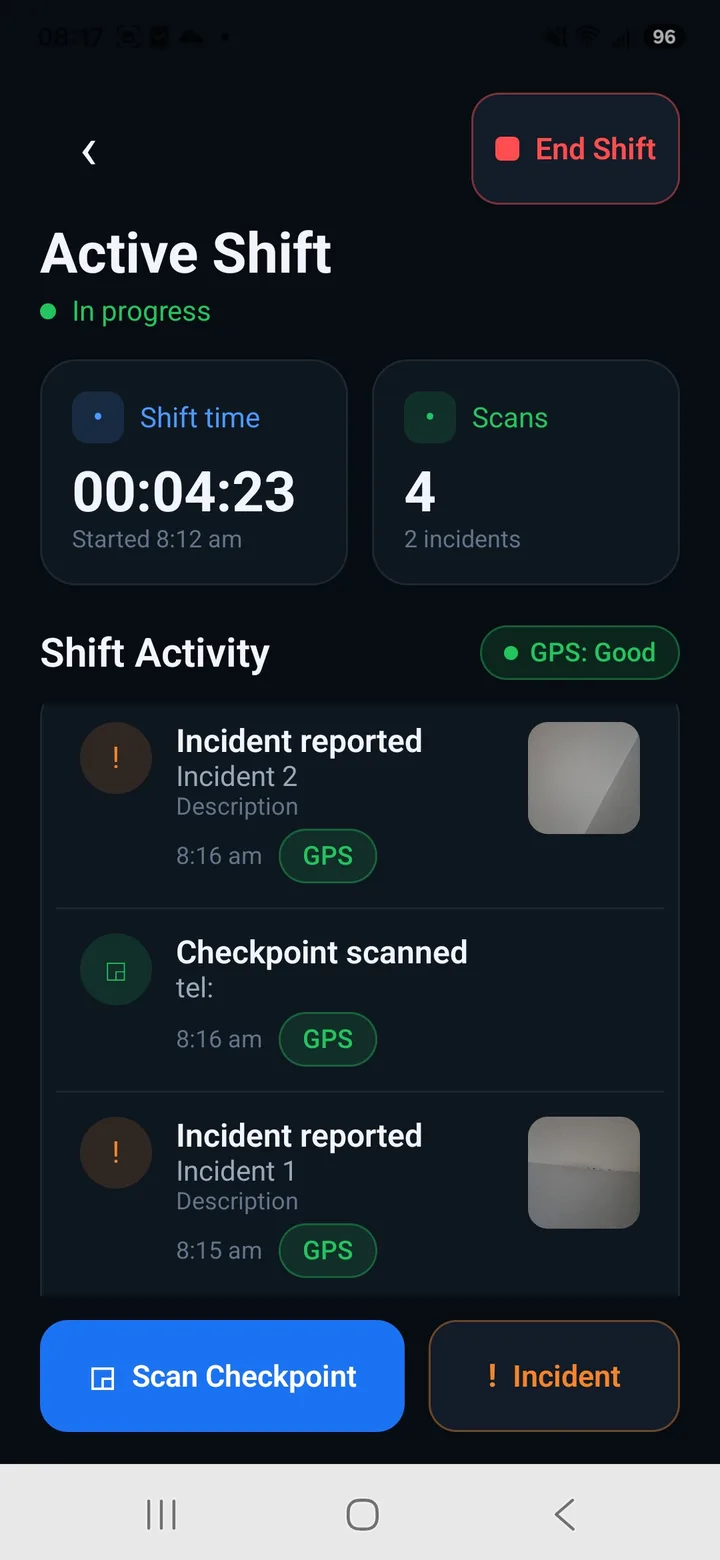
How the patrol system works
- 1
Scan
The guard scans a QR checkpoint at each point on the patrol route.
- 2
Record
Each scan is recorded with its time and available location data. Incidents can also be documented with notes and photos.
- 3
Report
At the end of the shift, the patrol can be exported as a clear PDF report showing what happened during the round.
QR checkpoint patrol — a record at every point
Put QR checkpoints at the places that matter: an entrance, equipment yard, perimeter, server room or other patrol point.
As the guard walks the route, each scan creates a timestamped checkpoint record. When location data is available, it can be included as additional context.
No proprietary checkpoint hardware is required — Guard Tour Log uses printable QR checkpoints.
See what was completed, late or missed
Scheduled Patrols let guards work against planned patrol rounds instead of simply collecting scans.
The resulting patrol record makes it easy to see what was expected and what actually happened — including completed, late and missed checkpoint activity.
Every patrol becomes a report
At the end of the shift, Guard Tour Log produces a clean PDF patrol report with checkpoint activity, timestamps and documented incidents. It's a professional record that can be shared with a supervisor, property manager, general contractor or client.
View Sample Report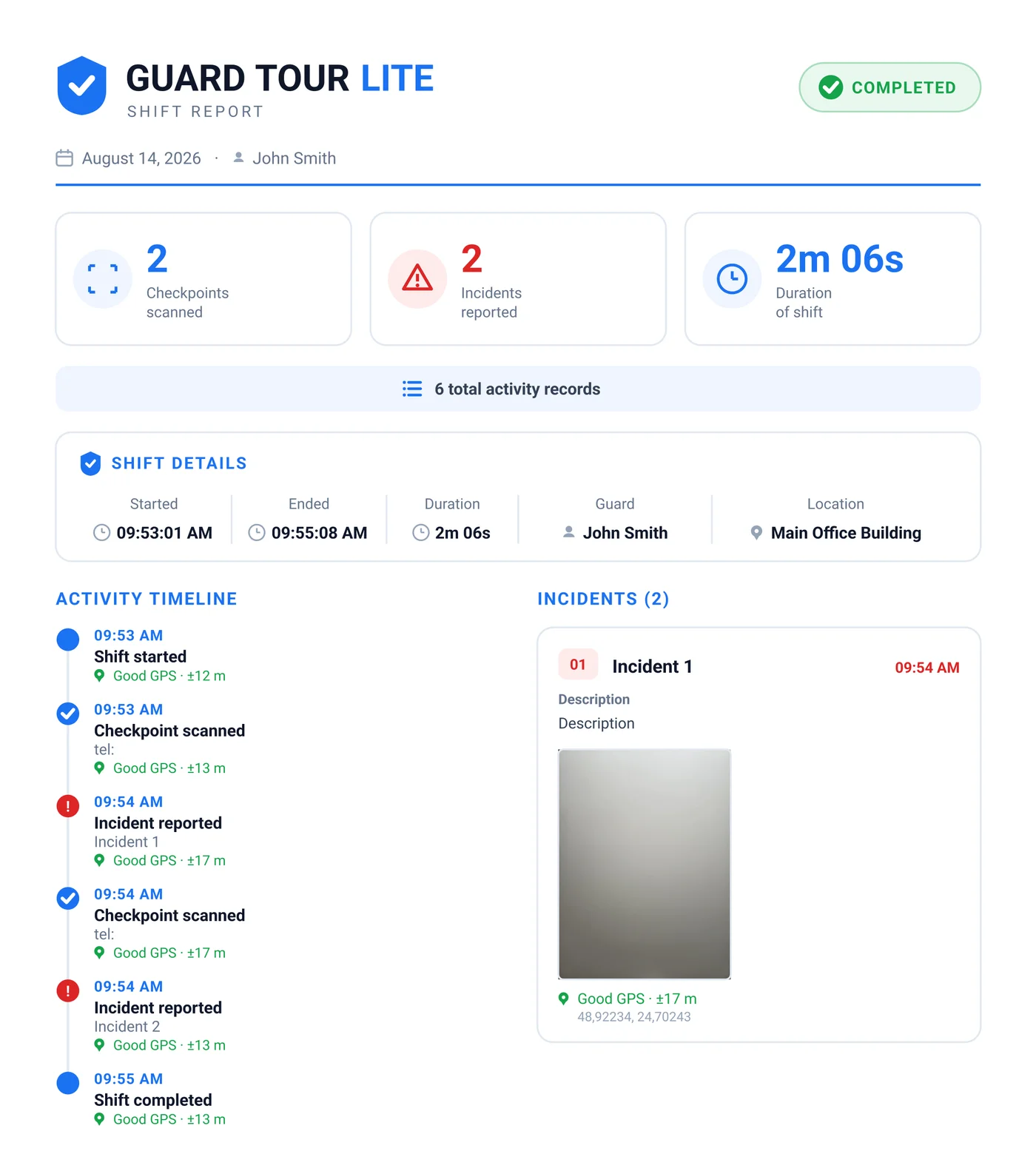
Works fully offline
No signal in a basement or parking garage? Everything still works. Nothing is lost. Your data stays on your device.
A simpler alternative to heavy guard management platforms
| Guard Tour Log | Heavy platforms | |
|---|---|---|
| Setup | None — open and go | Accounts, dashboards, admin |
| Works offline | Yes | Often no |
| Built for | The guard on shift | Dispatchers / managers |
| Price | Free | Paid seats |
Start with one guard. Expand to your team.
An individual guard can start using Guard Tour Log without a complicated company rollout.
Security companies can use Guard Tour Log Team to put their own company branding on the patrol reports their guards produce.
Guard Tour Log for Security Companies
New to the app? See how the guard tour system works.
Frequently asked questions
What is a security guard patrol system?
A security guard patrol system records patrol activity such as checkpoint scans, times and incidents, creating a record of what happened during a guard's round.
Do I need special checkpoint hardware?
No. Guard Tour Log uses QR checkpoints that can be printed and placed around the site.
Does Guard Tour Log work offline?
Yes. Core patrol activity such as checkpoint scanning and shift logging is designed to work without a constant internet connection.
Is Guard Tour Log free?
Yes, Guard Tour Log is free to use.
Put your patrols on the record
Download Guard Tour Log and record your next round.