Silvertrac Alternative — Simple, Free, Offline
Silvertrac is a security guard management platform for security companies — digital guard tours, live GPS mapping, dispatch, missed-checkpoint alerts and real-time reporting to a control room. It's built for teams and oversight. If you're a single guard who just needs to run your patrol and hand in a report, that's more machinery than you need.
Guard Tour Log is the simple, offline alternative — the guard's part, nothing else.

Is Guard Tour Log right for you?
Go lightweight if you:
- want patrol proof without a monitoring platform to run
- don't need a dispatch/monitoring dashboard or geo-fence alerting
- want it to work offline
- don't want setup fees or annual contracts
Silvertrac vs Guard Tour Log
| Silvertrac | Guard Tour Log | |
|---|---|---|
| Price | SilvertracPaid subscription | Guard Tour LogFree app; optional Team subscription per guard device |
| Works offline | SilvertracVaries by plan — check their current documentation | Guard Tour LogYes — scanning, incidents and PDF export need no connection |
| Account required | SilvertracYes — company account and onboarding | Guard Tour LogNone for guards; Team adds a manager login |
| Setup effort | SilvertracAccount setup, devices and configuration | Guard Tour LogInstall and start — minutes |
| Dashboards & real-time | SilvertracYes — live GPS, dispatch, missed-checkpoint alerts | Guard Tour LogTeam adds a web dashboard for devices and delivered reports — no live tracking or alerts |
| Multi-site & multi-user | SilvertracYes — built for teams and oversight | Guard Tour LogFree: one guard, one device. Team: up to 25 guard devices |
| Best for | SilvertracCompanies supervising guards in real time | Guard Tour LogThe guard on shift — and, with Team, the company behind them |
Silvertrac is a solid platform if you're a company that needs to watch multiple guards in real time, get missed-checkpoint alerts and manage dispatch. Guard Tour Log isn't that — and doesn't want to be. It does the single repeated job of the guard on shift: scan checkpoints, keep a stamped log, report incidents with a photo, export a PDF — offline.
Which one do you need?
Choose Silvertrac if you…
- have a dispatcher or supervisor watching guards during a shift
- want missed-checkpoint alerts and live GPS on a map
- manage several sites and track issues across all of them
- report to clients who expect a portal and live updates
Choose Guard Tour Log if you…
- are the only person who needs to see the patrol log
- want a report you can hand over at the end of a shift
- patrol places where the connection is unreliable
- would rather not sign a contract to log a walk-around
A missed checkpoint still shows up — in the report
Silvertrac raises a missed checkpoint while the shift is running. Guard Tour Log does not: nobody is watching and there is no alert. What it does is record every checkpoint against the time it was due, so when the shift closes the report shows exactly which rounds slipped and by how long.
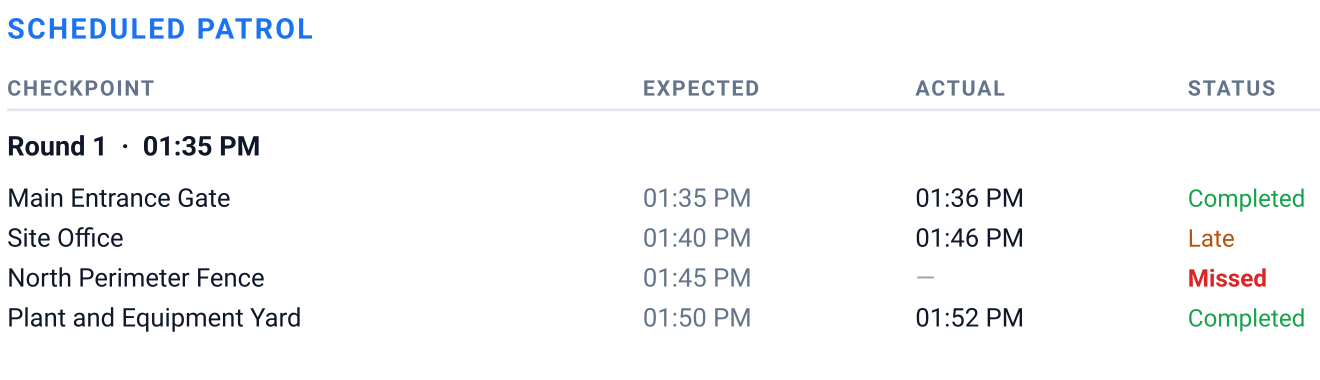
- Expected
- The time the round put that checkpoint on, from the schedule you set on the phone.
- Actual
- When the guard scanned it. A checkpoint with no scan is left blank rather than filled in.
- Status
- Completed, Late or Missed — worked out from those two times when the shift is closed.
All of it is recorded on the phone with no connection. On Team the finished report is delivered to your company's Google Drive once the phone has one. See a sample shift report (PDF).
Running a small security company?
Team is for the firm with a handful of guards and no dispatcher to spare. Each closed shift's PDF is delivered to your own Google Drive once the phone has a connection; your name and logo go on every guard's report from one place and our footer comes off; and you manage the devices you pay for from the web — activating a new phone, revoking a lost one, and seeing which reports have arrived. There is no live map and no real-time alerting, because that is the platform you were comparing us against. Billed per guard device, monthly, with lower rates as the team grows.
What Guard Tour Log does
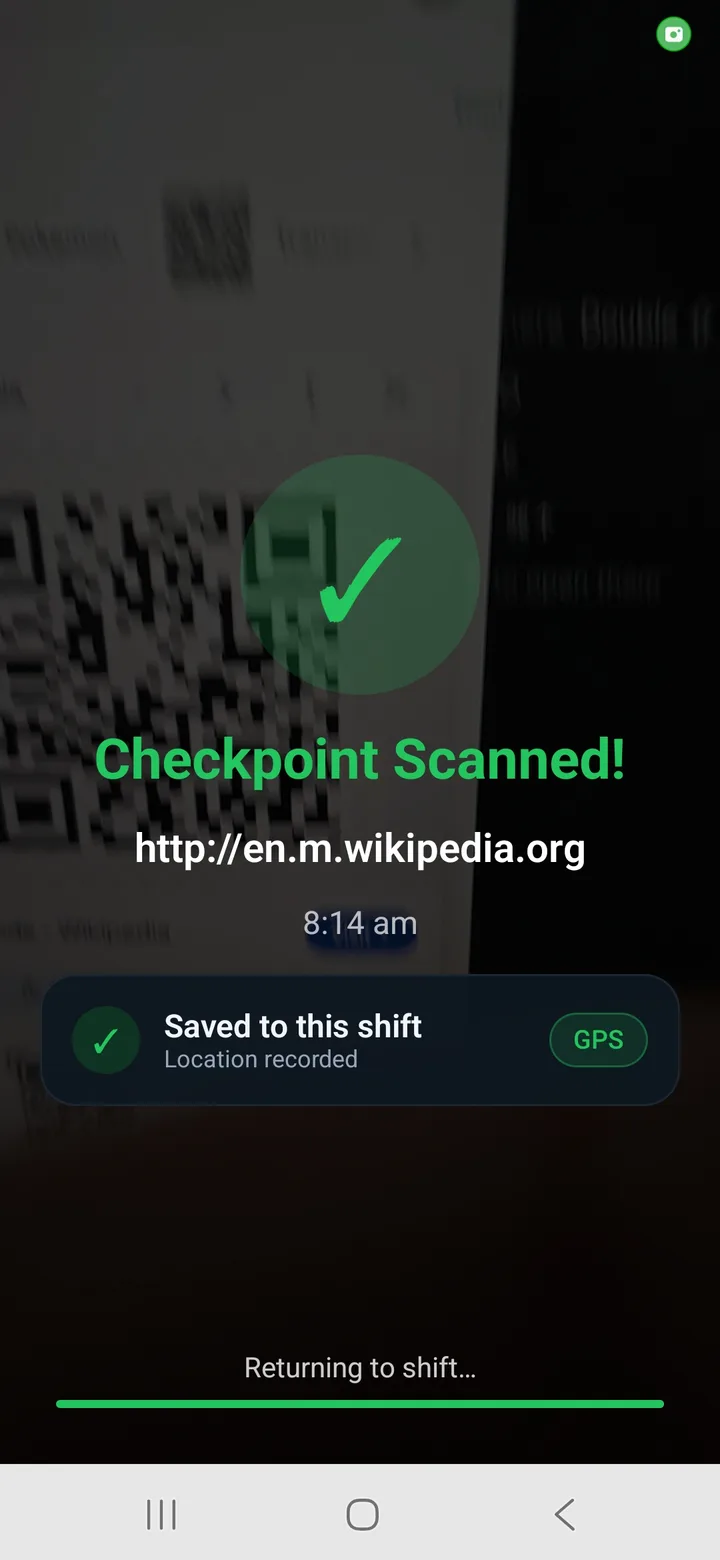
QR checkpoint scanning
Fast and easy checkpoint scans.
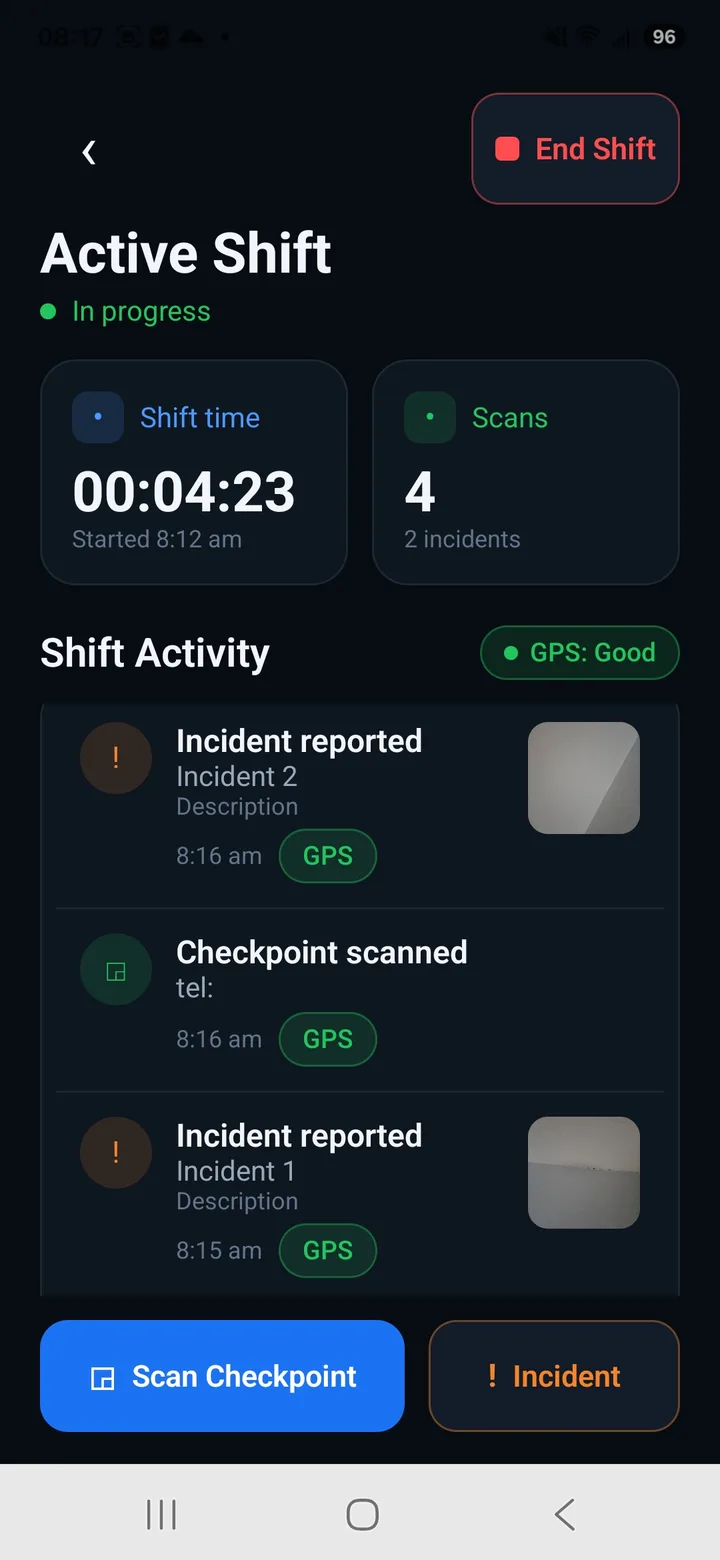
Shift / patrol log with timeline
See all your activity in chronological order.
Incident reports with photo
Add details and photos to every incident.
Automatic time + GPS stamps
Every action timed, with GPS where a fix is available.
One-tap PDF shift report
Professional reports in seconds.
Works 100% offline
No signal? No problem. Everything works.
No accounts, no setup
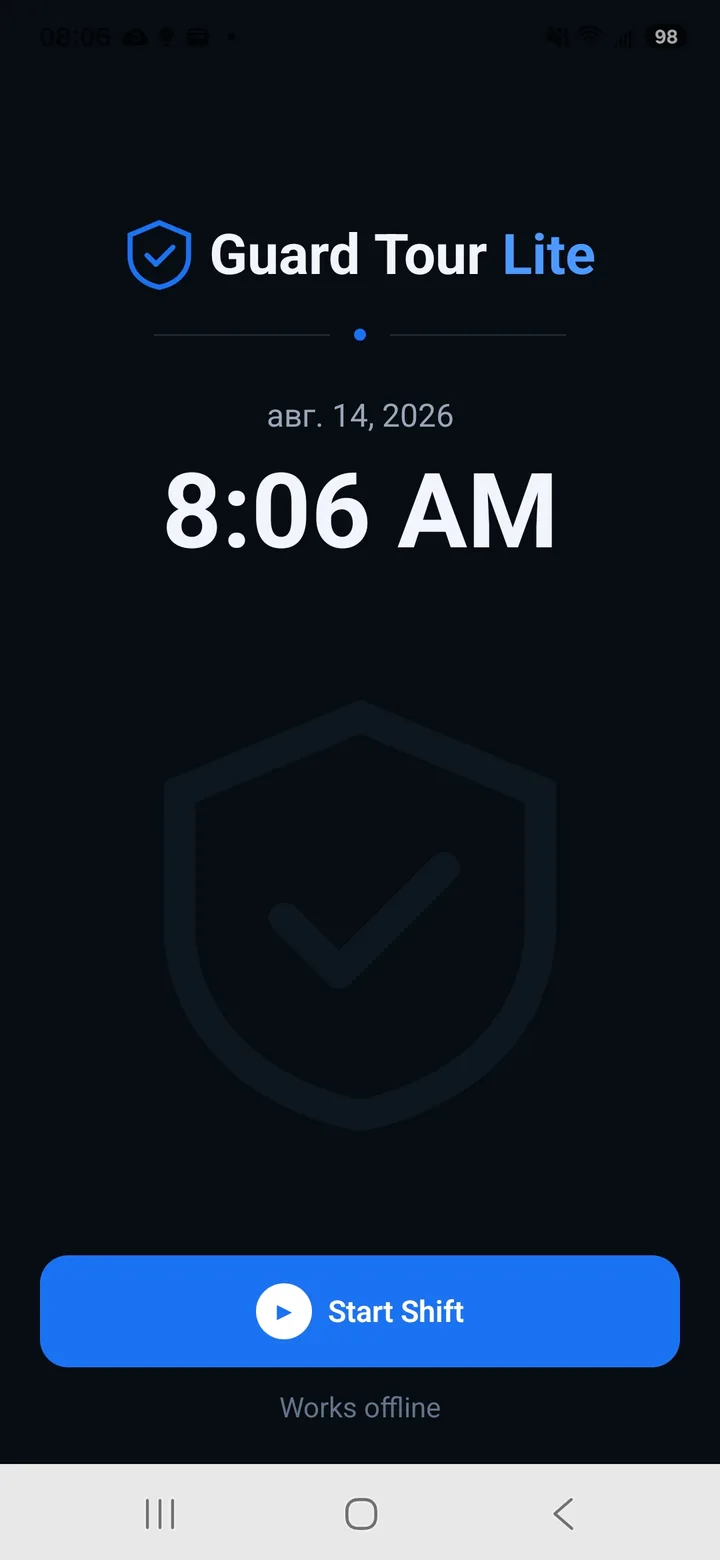
Open the app and start your shift.
See it in action
Start a shift
Scan checkpoints
Active shift
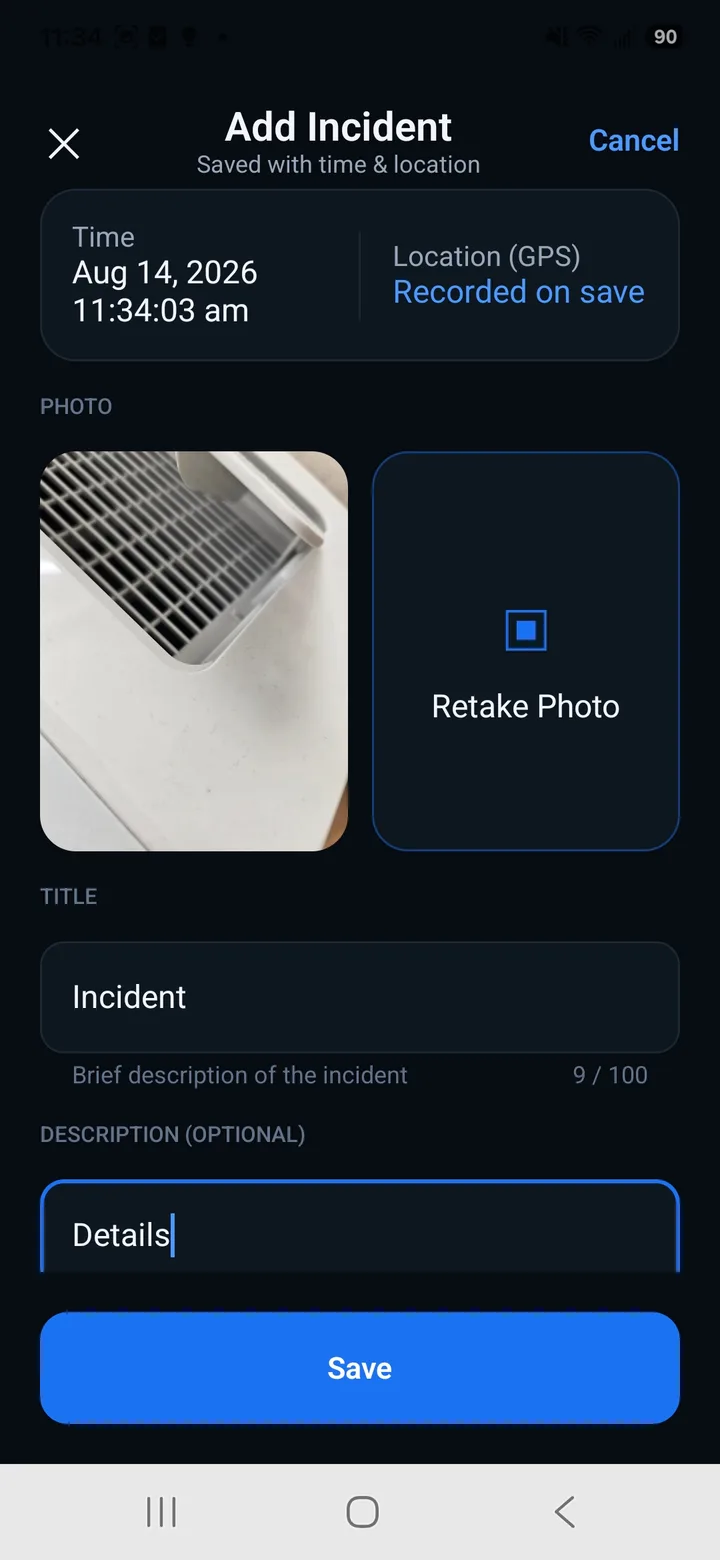
Report incidents
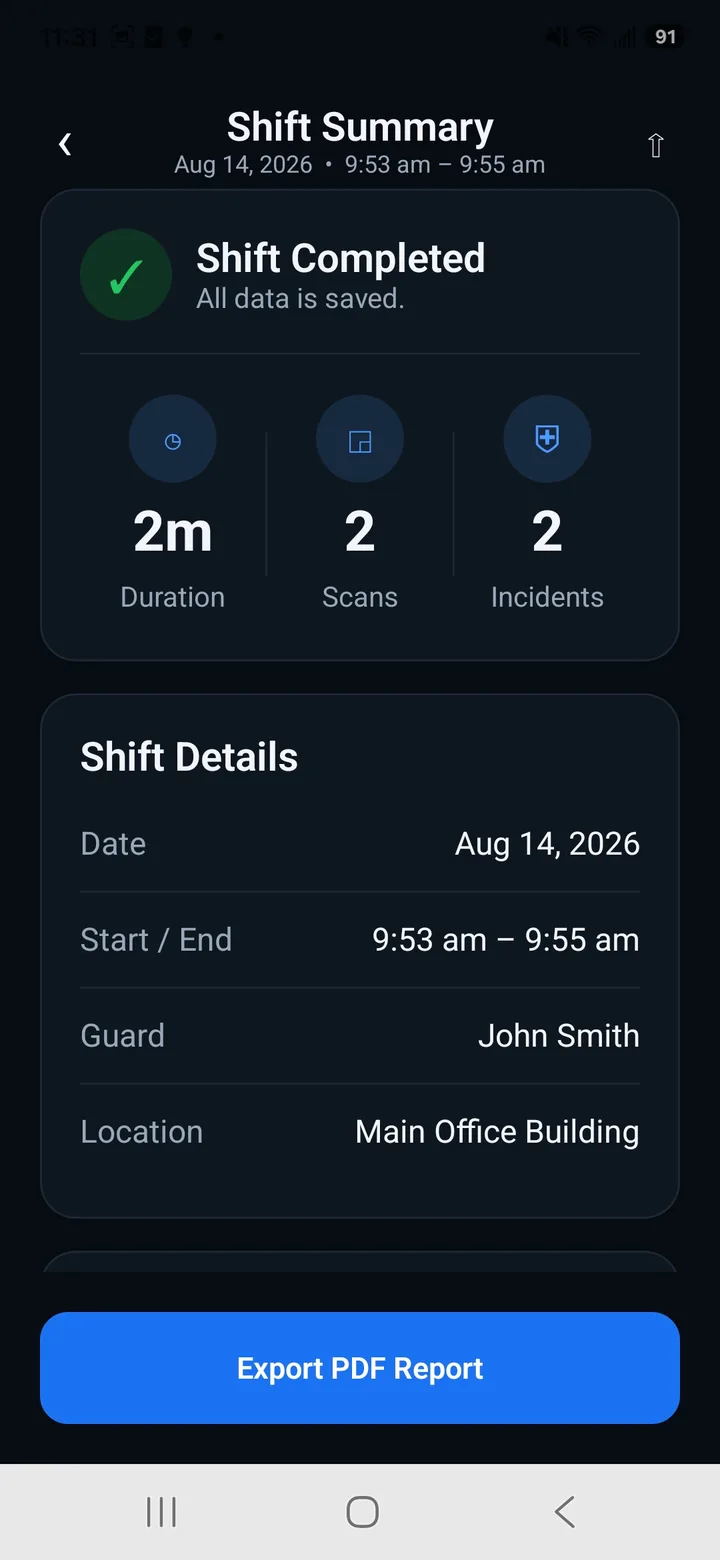
Shift summary
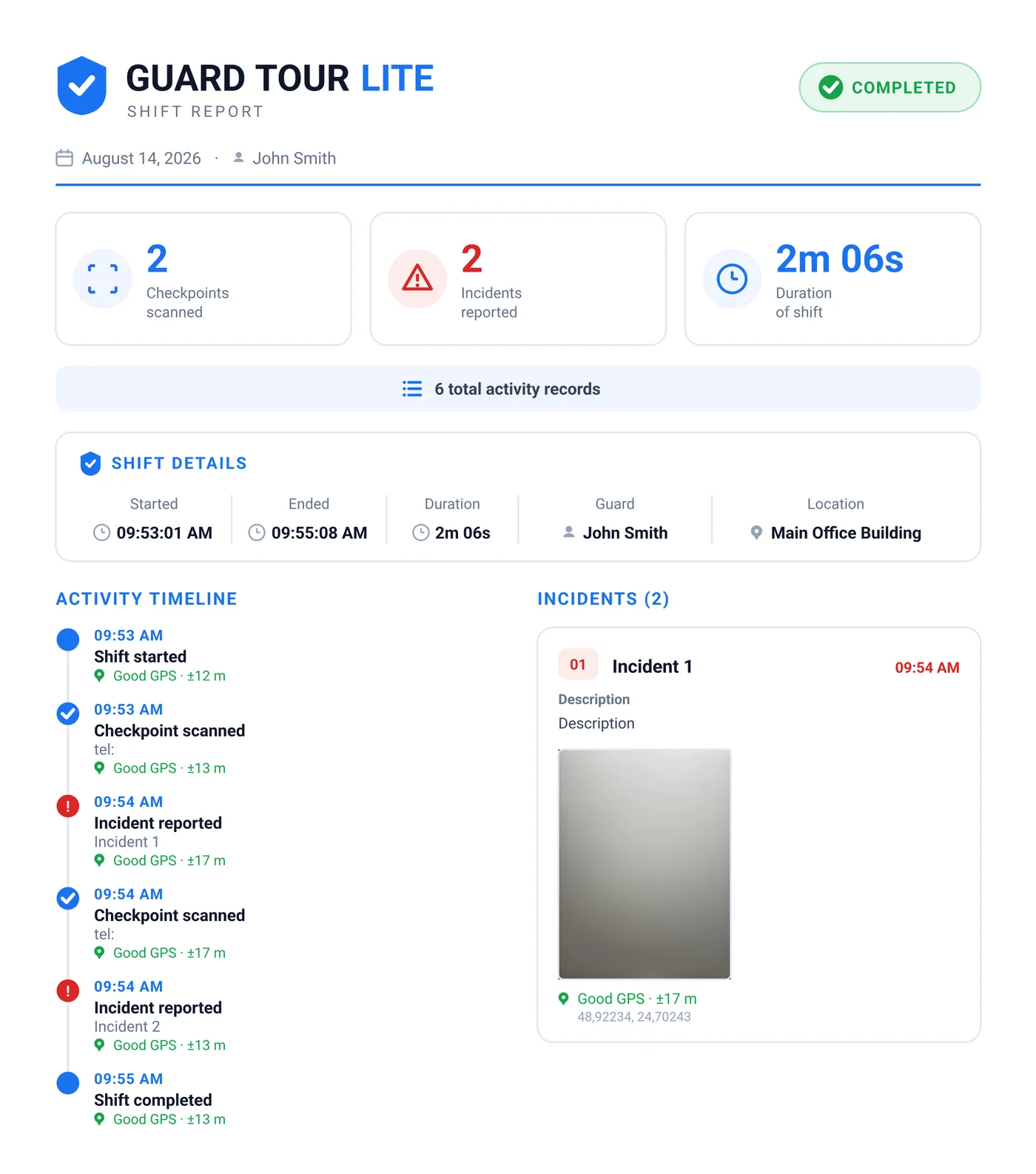
Turn every shift into a clear report
Export a professional PDF with checkpoints, incidents, photos, timestamps and GPS records where available — ready to share when the shift ends.
- Complete activity timeline
- Checkpoint timestamps, with GPS where available
- Incident details and photos
- Ready-to-share PDF
Frequently asked questions
Is there a free Silvertrac alternative?
The Android app is free and keeps the guard-on-shift workflow: checkpoints, a stamped patrol log, incident reports and a PDF export. Companies can add Guard Tour Log Team, a paid subscription billed per guard device, for a manager dashboard, company report branding and delivery of each finished report to their Google Drive once the phone has a connection.
Is there a Silvertrac alternative that works offline?
Yes. Scanning, the patrol log, incidents and PDF export all work with no connection — everything is recorded on the device and exported when you're ready, with no control room to reach. On Team the finished report is also delivered to your Google Drive once there is a connection.
What is the best Silvertrac alternative for a single guard?
A dispatch platform assumes someone is supervising. If that person is you, Guard Tour Log covers what's left: record the patrol, log incidents with photos, and produce the report.
Is Guard Tour Log a full replacement for Silvertrac?
No. If you need real-time monitoring, alerting and team dispatch, Silvertrac does that and Guard Tour Log does not. It's for the single guard rather than the operation around them.
Keep reading
What is a guard tour system?
How checkpoints, QR, NFC and GPS actually work, and how to choose one.
The free guard tour app for a single guard
What to look for when a full platform is more than you need.
Free security guard templates
Printable log book, DAR, incident report and patrol checklist — no signup.
See also: TrackTik Alternative and QR-Patrol Alternative.
Guard Tour Log is an independent app and is not affiliated with, endorsed by, or associated with Silvertrac. All trademarks belong to their respective owners.
Ready to simplify your guard tours?
Download Guard Tour Log and get started in seconds.