TrackTik Alternative — Simple, Free, Offline
TrackTik is a powerful, cloud-based security workforce management platform built for security companies — scheduling, payroll, live dashboards, client portals and real-time monitoring across many sites. That's a lot of platform. If you're a single guard (or a very small operation) who just needs to prove a patrol and file an incident, most of it is more than you'll ever use.
Guard Tour Log is the simple, offline alternative — just the part the guard on shift actually needs.

Is Guard Tour Log right for you?
Choose the lightweight route if you:
- work as a single guard or tiny team
- don't need a dispatcher dashboard or real-time monitoring center
- want something that works with no internet
- want to start in seconds without setup, accounts or contracts
TrackTik vs Guard Tour Log
| TrackTik | Guard Tour Log | |
|---|---|---|
| Price | TrackTikPaid — quote-based, sales-led | Guard Tour LogFree |
| Works offline | TrackTikCloud platform, built around a live server and dashboards | Guard Tour LogYes — fully offline, nothing leaves the phone |
| Account required | TrackTikYes — company account and onboarding | Guard Tour LogNone |
| Setup effort | TrackTikOnboarding and configuration with the vendor | Guard Tour LogInstall and start — minutes |
| Dashboards & real-time | TrackTikYes — live monitoring, scheduling, client portals | Guard Tour LogNo — the log lives on your device |
| Multi-site & multi-user | TrackTikYes — built for teams across many sites | Guard Tour LogOne guard, one device |
| Best for | TrackTikSecurity companies managing a workforce | Guard Tour LogThe individual guard on shift |
TrackTik is genuinely capable — if you run a security firm that needs to schedule staff, run payroll and monitor sites live, it's built for that. Guard Tour Log doesn't try to replace it. It replaces the one workflow a guard repeats every shift: scan QR checkpoints, keep a time- and GPS-stamped log, report incidents with photos, and export a PDF — all offline.
Which one do you need?
Choose TrackTik if you…
- run a security company and schedule staff across multiple sites
- need payroll, invoicing and client-facing reporting in one system
- want a live dashboard and real-time oversight of guards on duty
- have the budget and admin time to onboard a full platform
Choose Guard Tour Log if you…
- are one guard, or a couple, covering your own shifts
- need to prove a patrol happened and hand in a clean report
- work where the signal drops and can't depend on a live connection
- want to start on your next shift — no account, no cost, no contract
What Guard Tour Log does
QR checkpoint scanning
Fast and easy checkpoint scans.
Shift / patrol log with timeline
See all your activity in chronological order.
Incident reports with photo
Add details and photos to every incident.
Automatic GPS + time stamps
Accurate records for every action.
One-tap PDF shift report
Professional reports in seconds.
Works 100% offline
No signal? No problem. Everything works.
No accounts, no setup
Open the app and start your shift.
See it in action
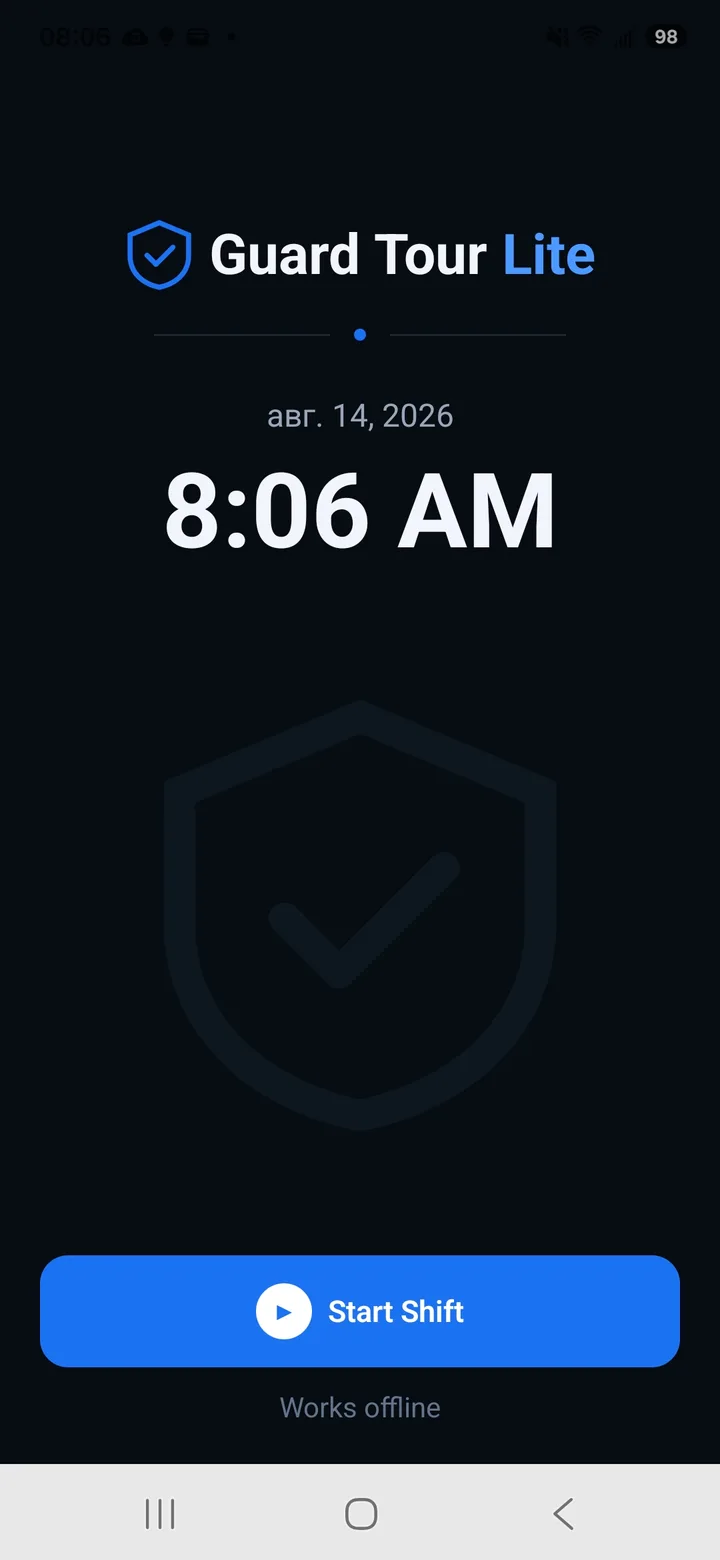
Start a shift
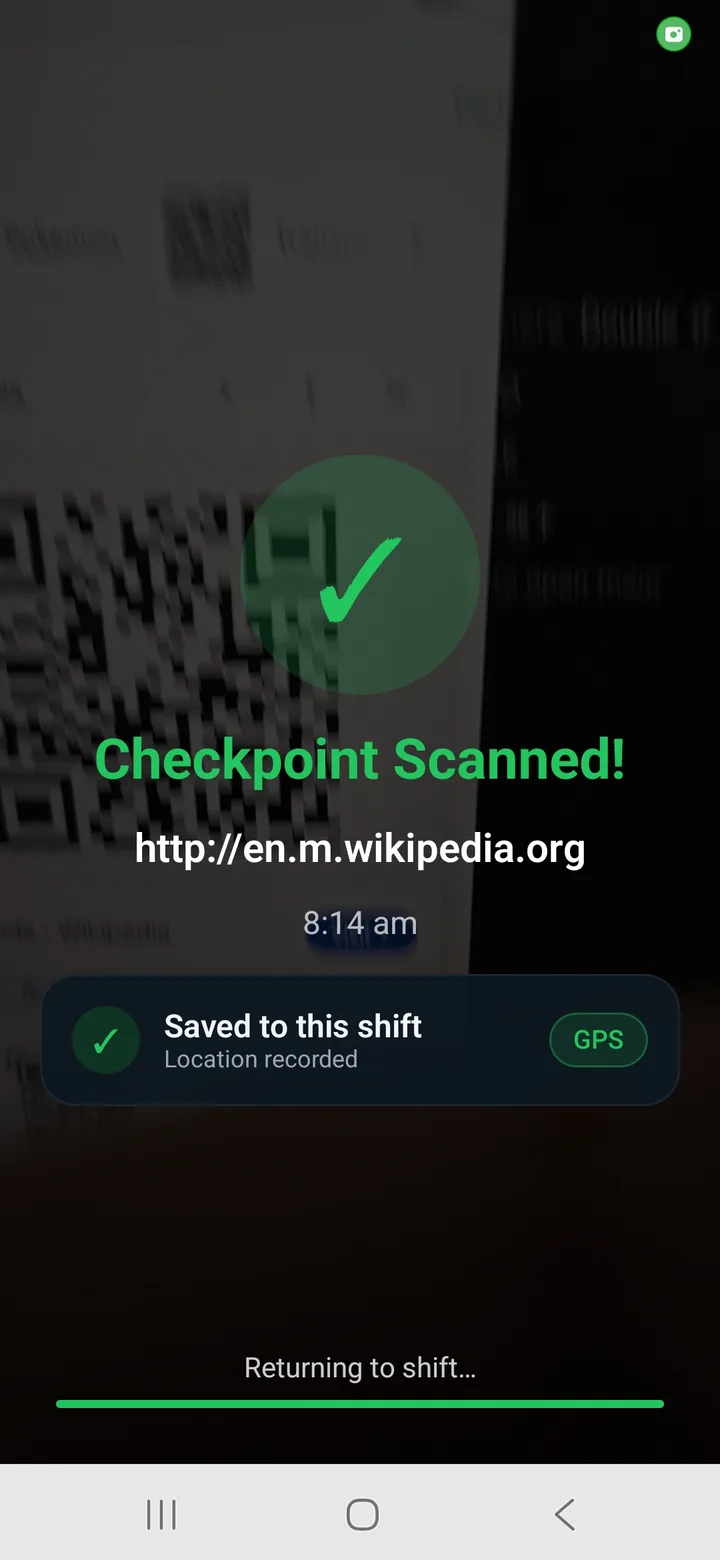
Scan checkpoints
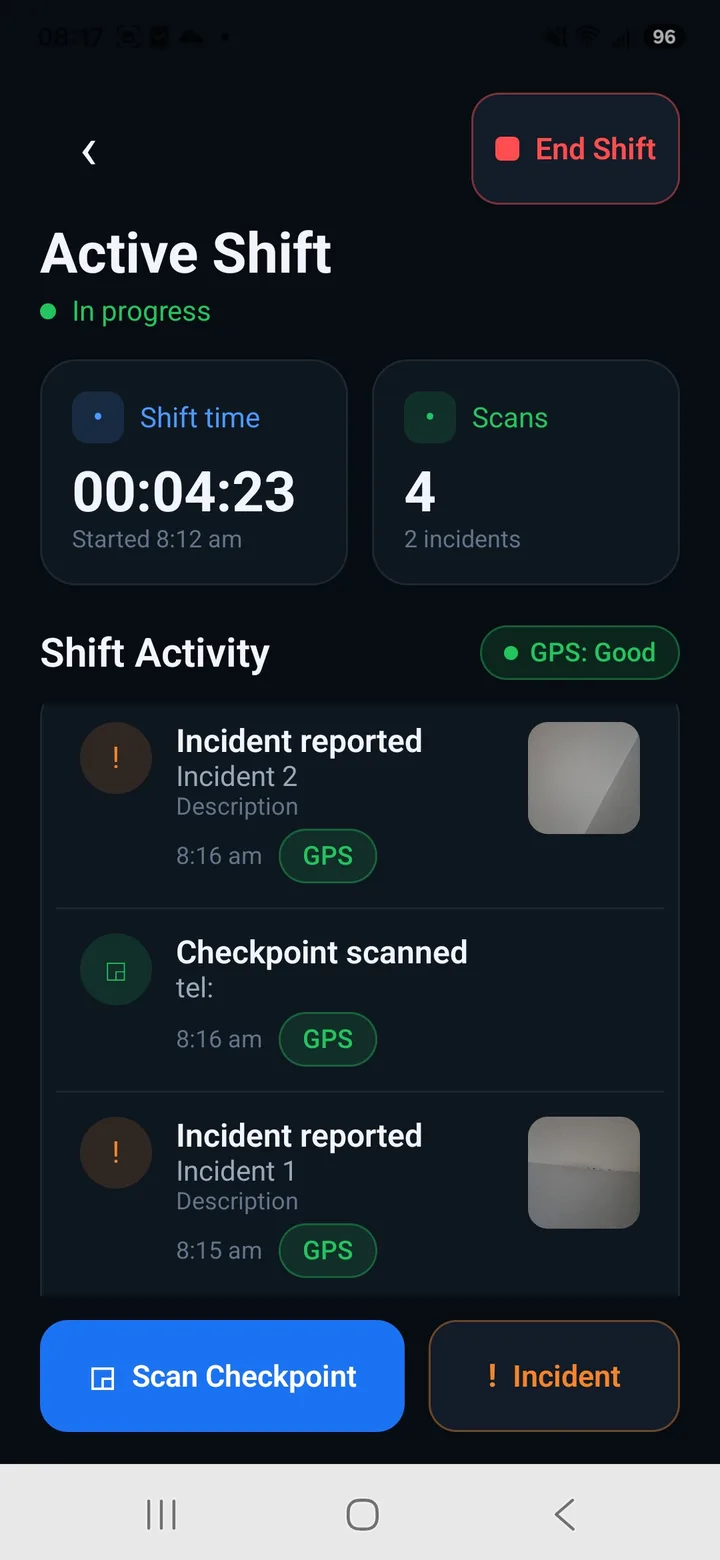
Active shift
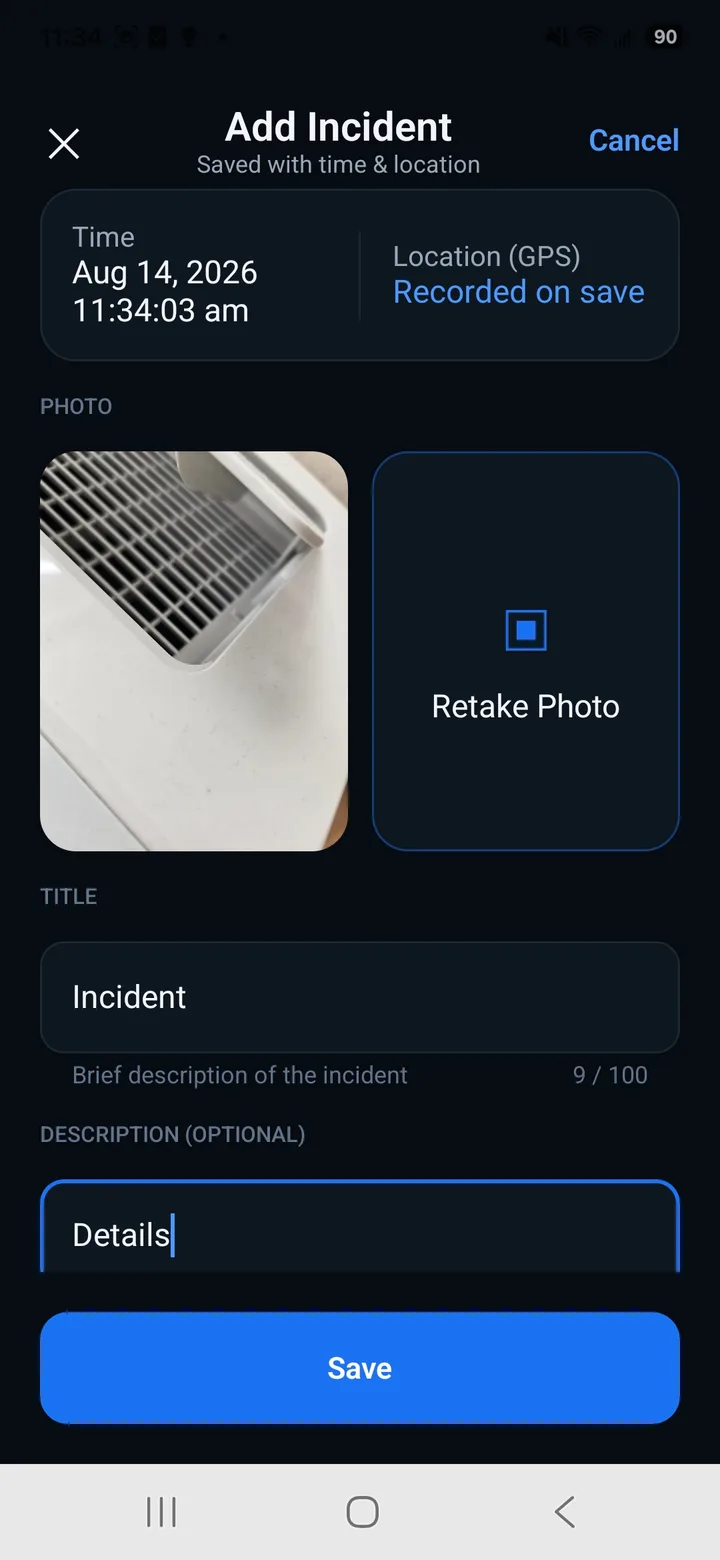
Report incidents
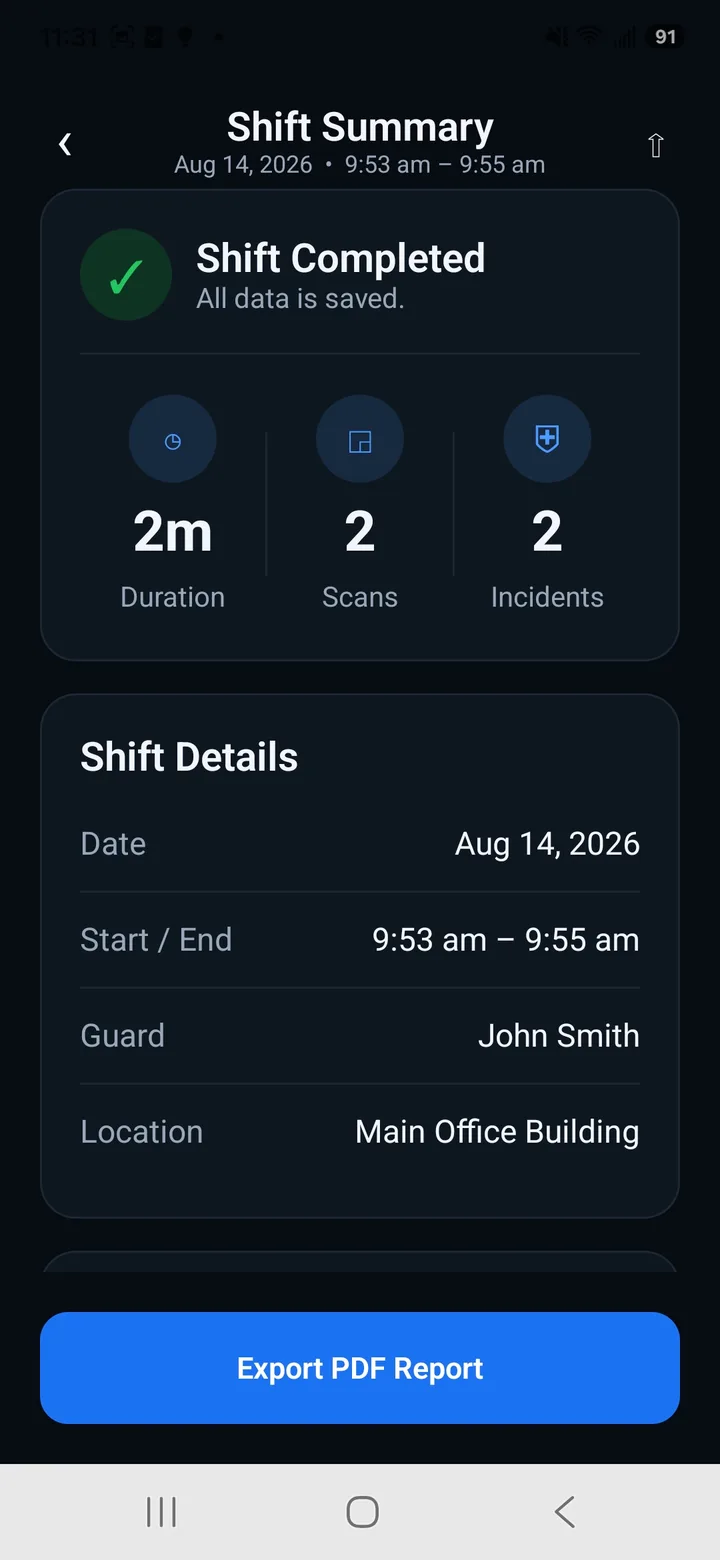
Shift summary
Turn every shift into a clear report
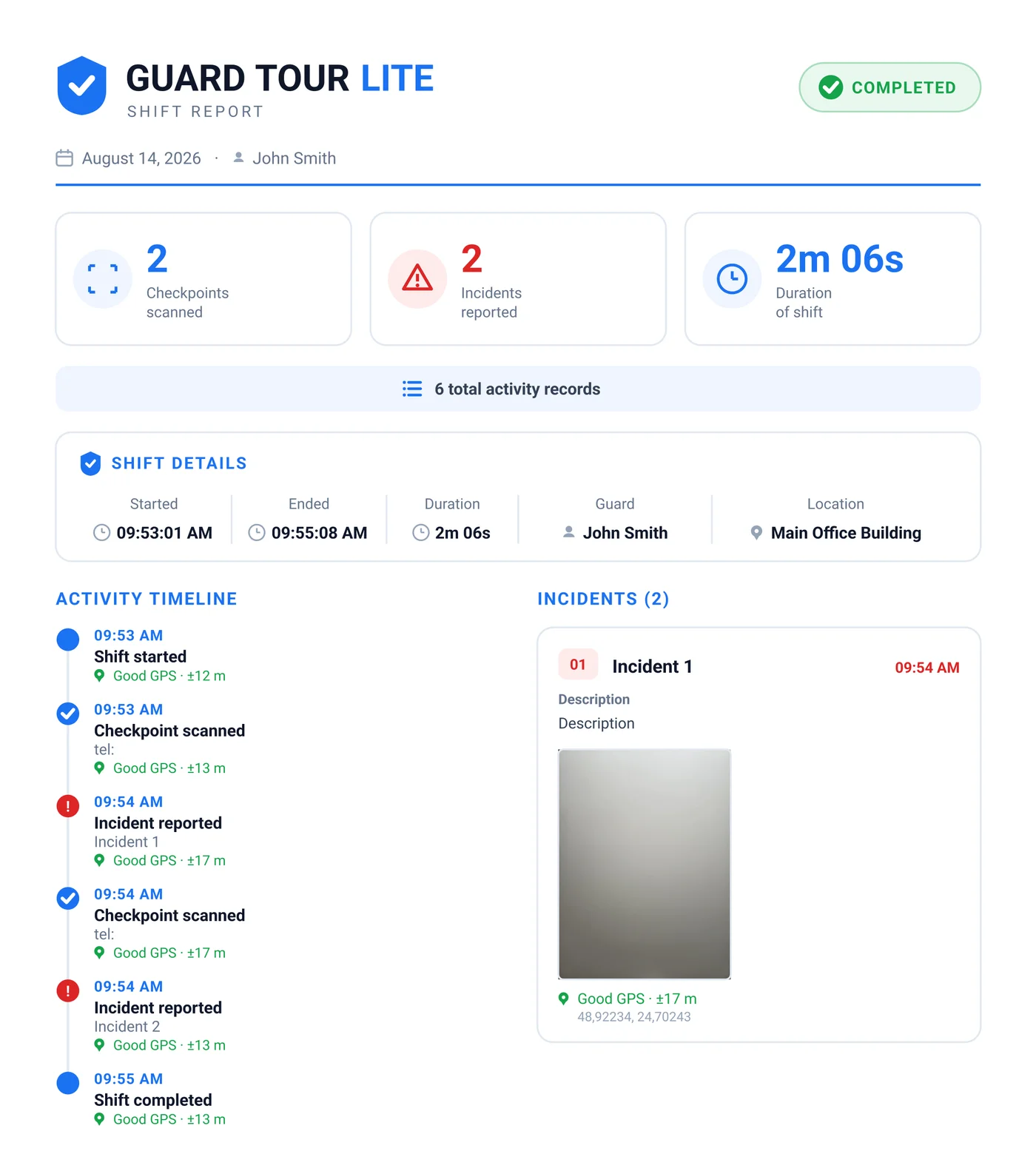
Export a professional PDF with checkpoints, incidents, photos, timestamps and GPS records — ready to share when the shift ends.
- Complete activity timeline
- Checkpoint timestamps and GPS records
- Incident details and photos
- Ready-to-share PDF
Frequently asked questions
Is there a free TrackTik alternative?
Guard Tour Log is free and focuses on the guard-on-shift workflow: QR checkpoints, a time- and GPS-stamped patrol log, incident reports with photos, and a PDF export. It is a different category of tool, not a free tier of a platform.
Is there a TrackTik alternative that works offline?
Yes. Guard Tour Log runs fully offline — scans, logs, incidents and PDF reports all work with no connection, and the data stays on your device rather than syncing to a server.
What is the best TrackTik alternative for a single guard?
If you are one guard rather than a company, you mainly need to record a patrol and produce a report. Guard Tour Log does exactly that and nothing else, so there is no dashboard to configure and no per-seat licence to buy.
Is Guard Tour Log a full replacement for TrackTik?
No. If you need scheduling, payroll, client portals or a live monitoring dashboard, TrackTik is built for that and Guard Tour Log is not. It replaces the single workflow a guard repeats every shift.
Keep reading
What is a guard tour system?
How checkpoints, QR, NFC and GPS actually work, and how to choose one.
The free guard tour app for a single guard
What to look for when a full platform is more than you need.
Free security guard templates
Printable log book, DAR, incident report and patrol checklist — no signup.
See also: Silvertrac Alternative and QR-Patrol Alternative.
Guard Tour Log is an independent app and is not affiliated with, endorsed by, or associated with TrackTik. All trademarks belong to their respective owners.
Ready to simplify your guard tours?
Download Guard Tour Log and get started in seconds.